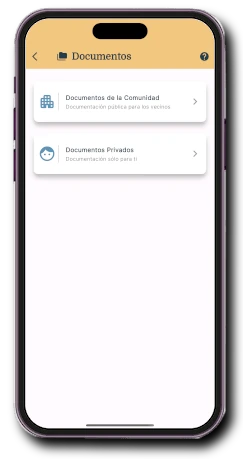
01
Direct access
Documentation is part of the same community where residents receive notices and complete tasks.
Communicate and participate · Documentation
Centralise minutes, rules, insurance policies, budgets and private files in an organised repository, available in the app and controlled from the management panel.
One repository
Onzane connects the community’s document organisation with simple, secure access for residents, board members, employees and administrators.
Create folders and subfolders that reflect the community’s real structure.
Upload images and PDFs, add a description and keep them available in the right repository.
Decide which information is shared and which files should only be seen by a specific person or group.
Every resident can find, open and download the documents intended for them from anywhere.
From the management panel
Authorised users manage the shared repository and private documents from the panel. The structure can evolve without circulating new copies or maintaining parallel folders.
In the Onzane app
Residents open their community documents, browse a familiar structure and find files without relying on old emails or expired links.
Documentation is part of the same community where residents receive notices and complete tasks.
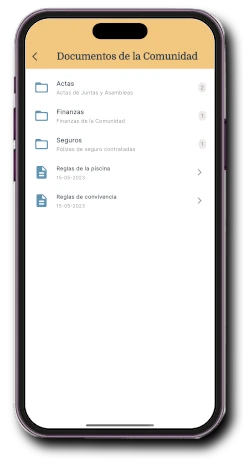
Minutes, rules, insurance and budgets can be grouped according to the community’s criteria.
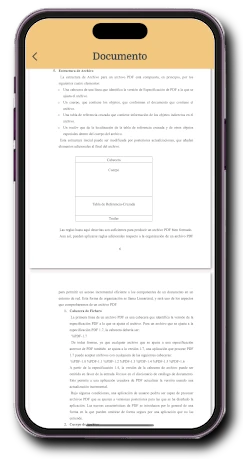
Images and PDFs open inside the app and can be downloaded when needed.
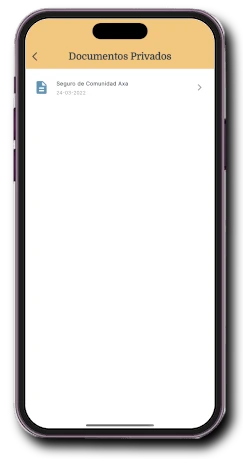
Information for the right people
Not every document should have the same reach. Onzane provides a repository for the whole community and delivers specific information without exposing it to everyone else.
A structure for every need
Documents remain linked to the community, not to an inbox, a phone or a particular person.
Minutes, rules, notices, insurance policies and other information available to all residents.
Files intended for a specific property or person, visible only to authorised users.
Repositories for the board or other teams that need to work with their own information.
From document to action
Documentation does not stop when uploaded. Managers can send it to the president and keep the signature within the workflow.
In action
A short tour of repository access, folder browsing and document viewing in the Onzane app.
Frequently asked questions
Organisation, file types, permissions, private repositories and access from the app.
You can create a tree structure with as many folders and subfolders as the community needs and place each document in the appropriate location.
Onzane supports common image formats and PDF documents. These files can be viewed directly in the app without an external viewer.
Yes. In addition to the shared repository, every resident can have private documents that are only visible to authorised people.
Yes. You can create a private group, add its members and enable a document space shared exclusively among them.
Yes. Residents can use the Onzane app whenever they have an internet connection, open documents and download them when needed.
No. The community can use Onzane with its current chairperson, board, staff or property administrator and decide who maintains the documents.
The documents belong to the community
We help you organise the initial structure, import documents and configure the right permissions.