Manage employees

Employee management for residential communities.

Organise concierge, maintenance, security and cleaning work with clear instructions, mobile follow-up and traceability shared with the community.

See how the team works

From assignment to result

Everyone knows
what needs to be done.

Work no longer depends on notes, calls or messaging groups. Onzane connects planning, execution and supervision without complicating an employee’s day.

  1. 01 Plan

    Define one-off or recurring tasks, assignees, schedules and execution steps.

  2. 02 Assign

    Each employee receives only the work and features relevant to them in Onzane Staff.

  3. 03 Carry out

    Staff complete steps, report incidents and add notes, photos or evidence on site.

  4. 04 Supervise

    Administrators and managers check status, times and history without chasing updates.

01 Planned work

Clear one-off or recurring tasks.

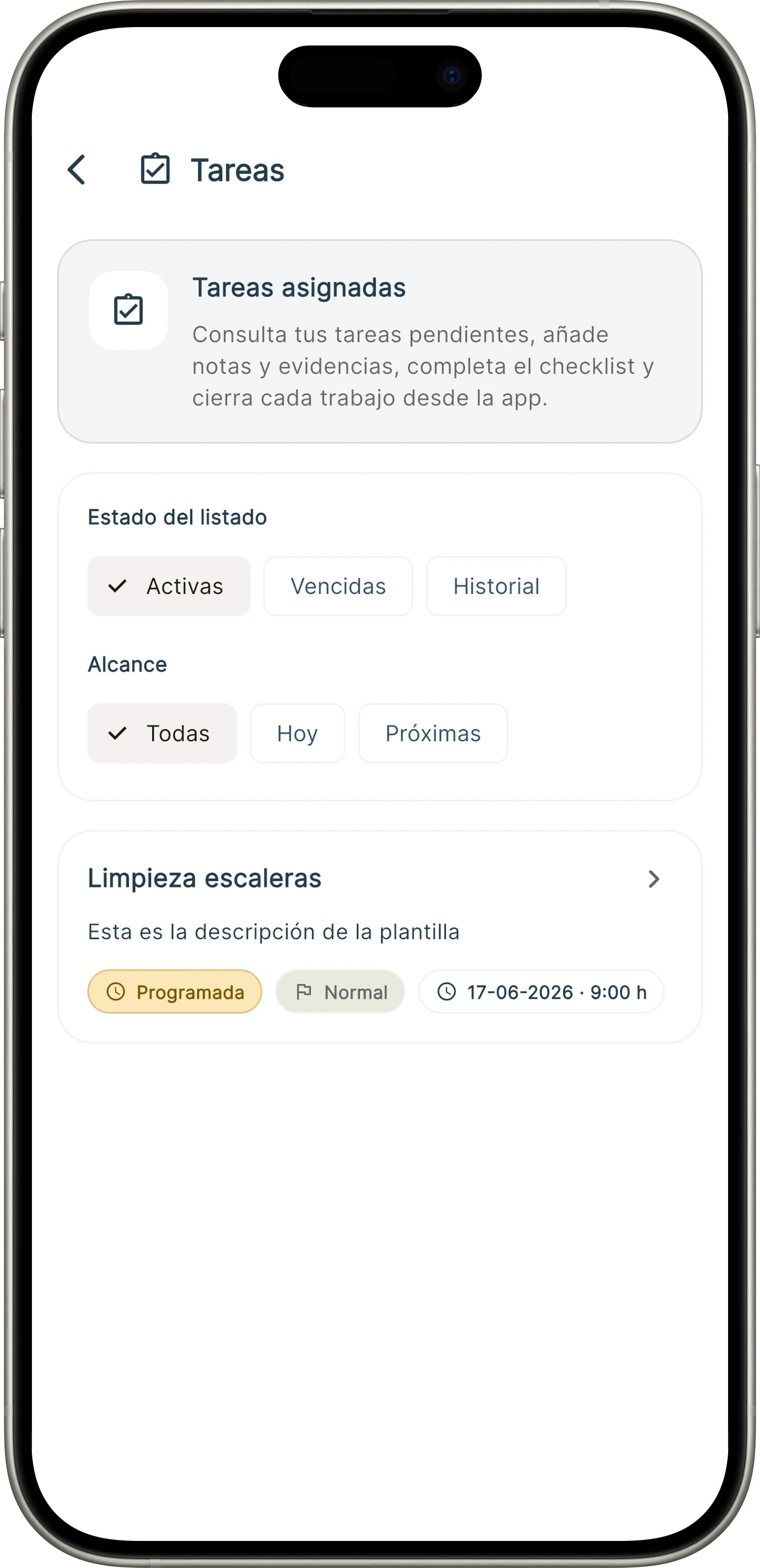
Each task brings together instructions, an assignee, a date and its steps. Employees see what is pending and record what they have done without switching tools.

  • One-off or recurring tasks
  • Assignment by employee, role or team
  • Steps and checklists
  • Notes, photos and documents
  • Execution status and history
Employee task list in Onzane Staff
01Priorities and pending work on mobile
02 Time tracking

Working time is recorded from mobile.

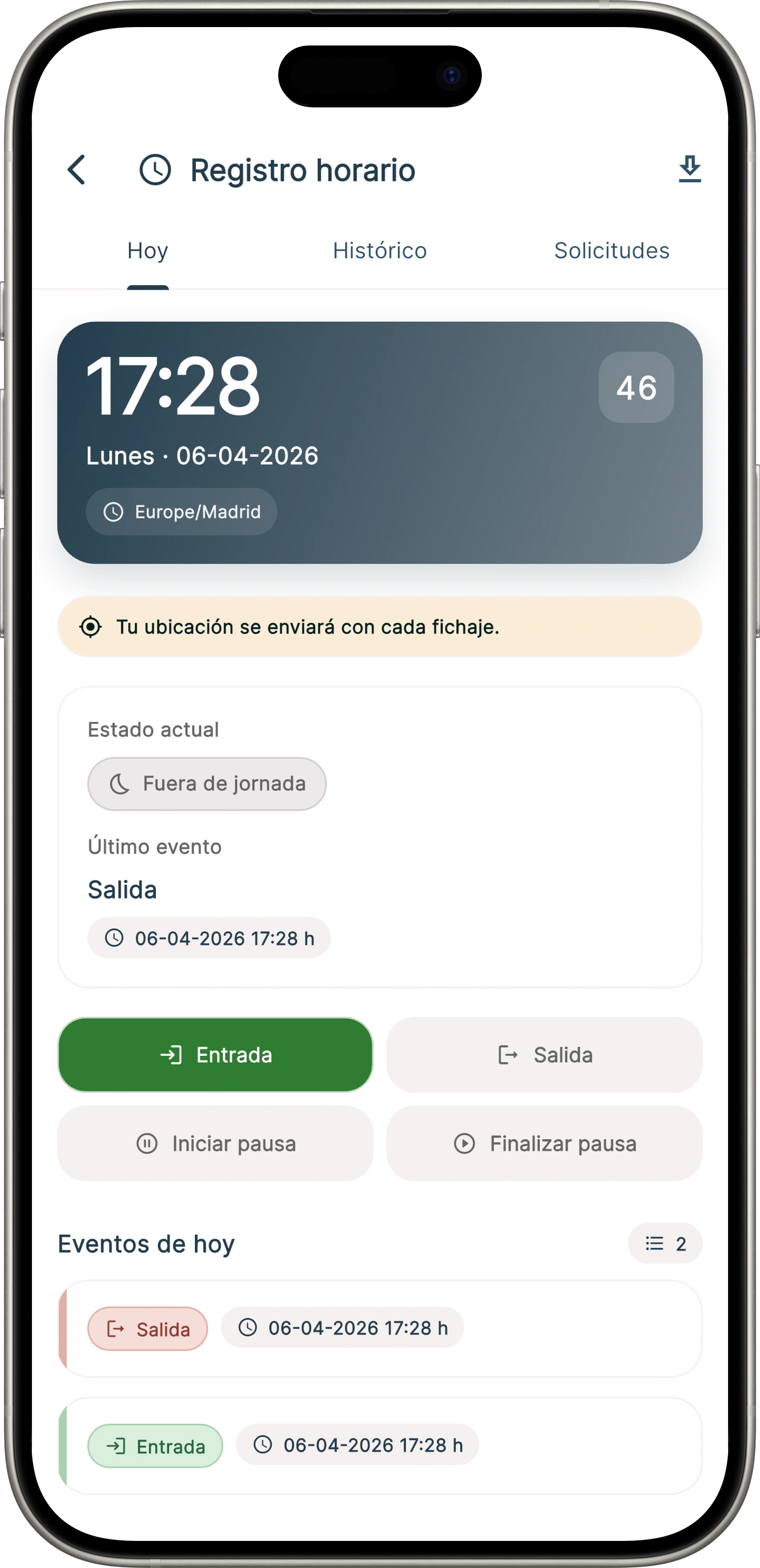
Staff can start and end their working day in Onzane Staff. The information is available to managers and connected with the team’s operation.

  • Clock in and out from Onzane Staff
  • Break records when applicable
  • Personal history view
  • Supervision from the management panel
  • Data ready for monitoring and reports
Employee time tracking in Onzane Staff
02Time tracking integrated with daily work
03 On-site control

Verifiable rounds, not routes left to memory.

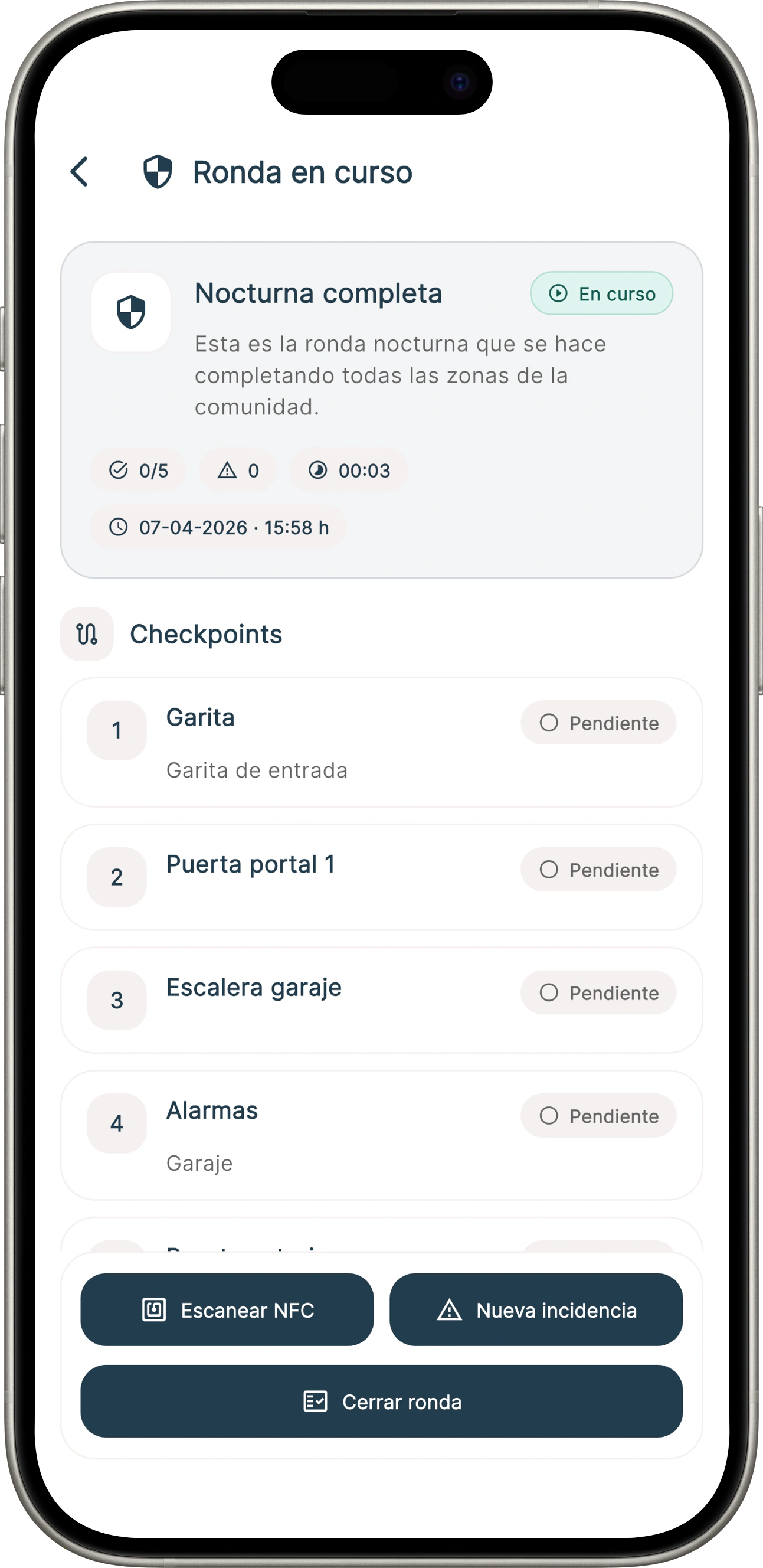
Security, concierge or maintenance staff follow defined routes and register each checkpoint. If they find an issue, they can document it immediately.

  • Configurable routes and checkpoints
  • Identifier scanning at each location
  • Date and time of every check
  • Notes and incidents during a round
  • History of completed rounds
Security round completed in Onzane Staff
03Traceable routes and checks
04 Everything in Onzane Staff

The app follows employees to where the work happens.

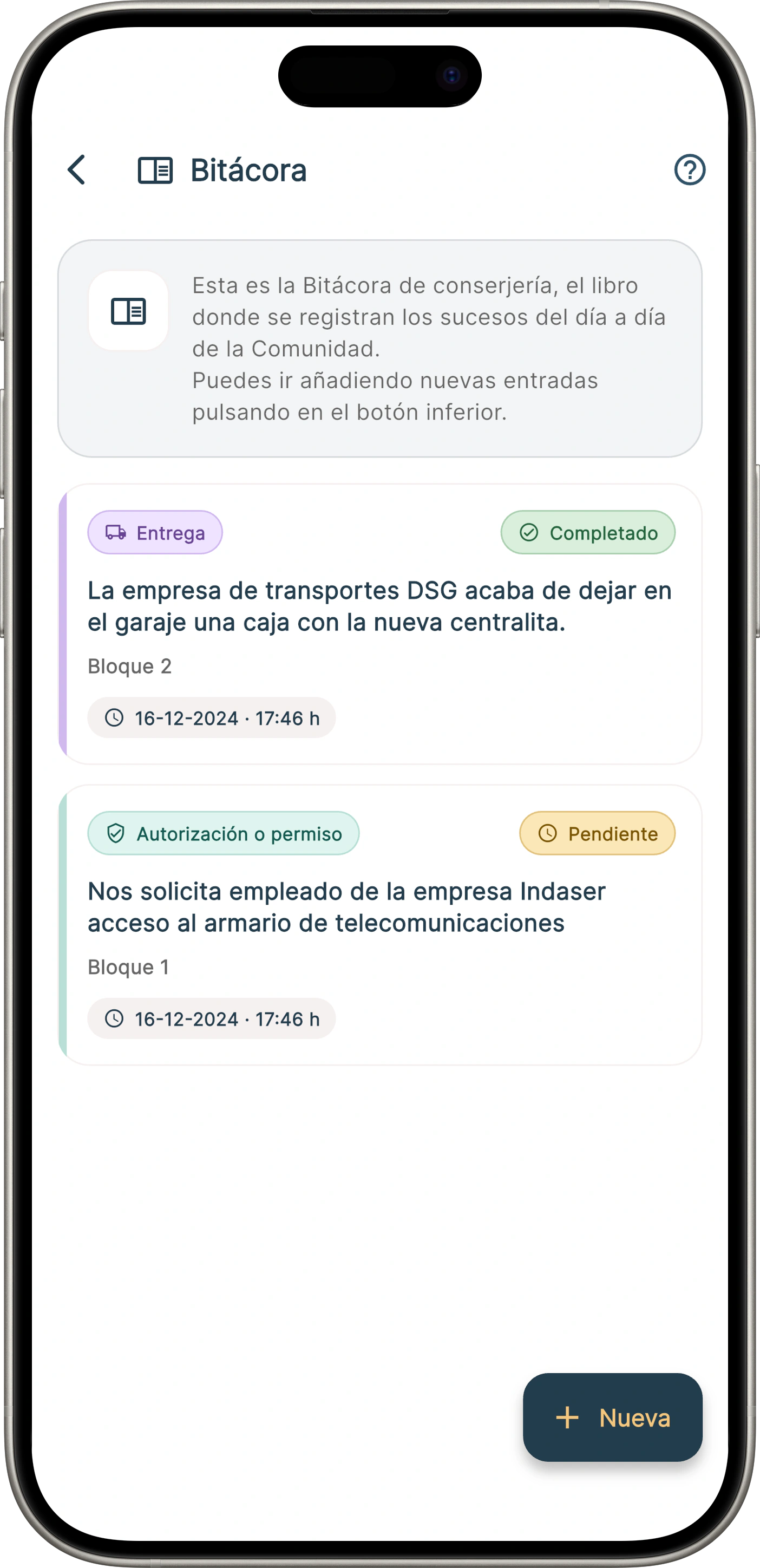
Beyond tasks and rounds, staff can keep the concierge log, manage parcels and keys, handle incidents, check bookings or act on behalf of a resident according to their permissions.

  • Concierge log and shift updates
  • Parcel reception and delivery
  • Physical key loans and returns
  • Incident and maintenance management
  • Bookings and authorised resident operations
Concierge log in Onzane Staff
04One app for the operation taking place in the community
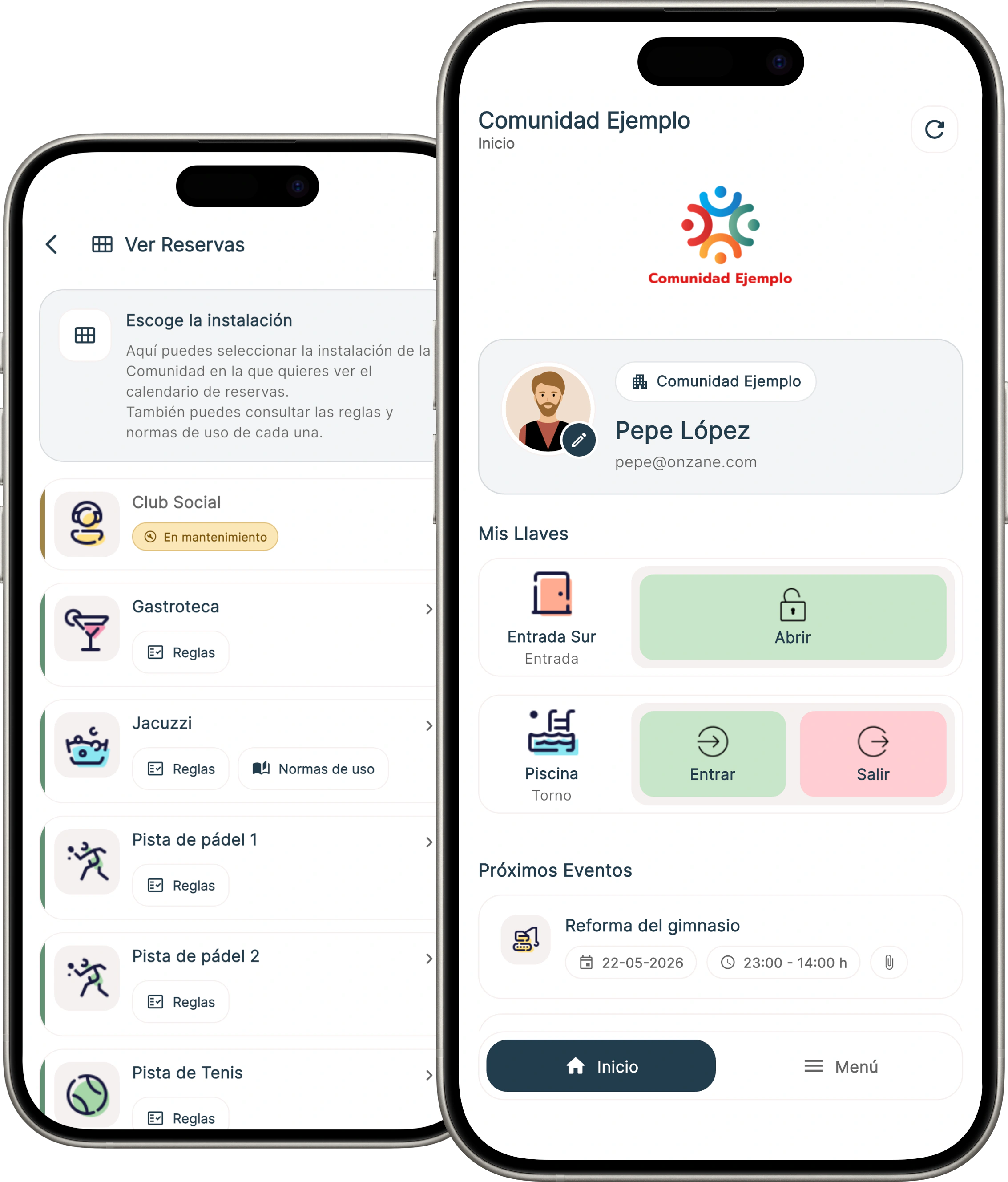
Onzane Staff home screen for community employees

One community

Employee work
updates everyone else.

Onzane Staff is not an isolated app. What staff record appears in the management panel and, when appropriate, informs the resident or continues with a provider.

  • Shared information without duplication
  • Permissions adapted to each role
  • Notifications based on responsibility
  • Evidence available for supervision
  • Continuity across shifts and staff changes

For different teams

A tool that adapts
to every role.

The community enables the features and permissions each profile needs, without forcing every employee to work in the same way.

01

Concierge

Parcels, keys, logs, bookings, notices and everyday resident assistance.

02

Maintenance

Tasks, inspections, incidents, photos and evidence for every intervention.

03

Security

Rounds, checkpoints, shift updates, incidents and operational control.

04

Cleaning

Recurring planning, instructions by area and confirmation of completed work.

Frequently asked questions

Employee management
without more paperwork.

Answers about profiles, tasks, working time and everyday use of Onzane Staff.

01Which employees can use Onzane Staff?

It can be used by the community’s own employees or by service-company staff: concierge, maintenance, security, cleaning and other operational teams. Each profile receives different permissions and features.

02Does the Onzane Staff app cost extra?

No. The Onzane Staff app is included as part of the Onzane platform at no additional cost.

03Can recurring tasks be scheduled?

Yes. You can define frequency, assignee, steps, schedule and required evidence for inspections, cleaning, maintenance and other routines.

04How is completed work supervised?

The management panel displays statuses, dates, assignees, completed steps, notes and evidence, so supervision does not rely on requesting updates elsewhere.

05Do all employees see the same information?

No. The community configures profiles and permissions so each person can access only the communities, spaces and features required for their work.

06Can external-company staff use it?

Yes. A service company can organise its employees with Onzane Staff in the communities where it works while coordinating with each community’s managers.
Supported implementation

Bring real operations
to your team’s phones.

We configure roles, permissions and processes, and train managers and employees so Onzane Staff works in day-to-day operations.

Talk to us