Compact relays
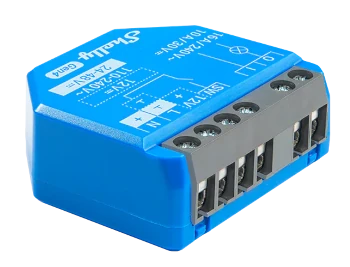
Connect existing mechanisms where the panel or installation point has the required space and connectivity.
Connected spaces
Connect devices, sensors and actuators with the people, permissions and facilities in the community to monitor and control shared spaces from one platform.
A shared technology layer
Onzane provides the context a home-automation installation usually lacks: who acts, on which element, with which permission and what happened next.
A responsive community
The installation adapts to the building. It can start with a single point and expand when the community needs to control more elements.
Operate entrances, garages, pools and restricted areas using permissions defined in Onzane.
Switch or schedule compatible circuits and mechanisms.
Receive states and measurements to understand what is happening in a facility.
Data and rules that help avoid unnecessary use and understand shared resources.
Open, progressive technology
Onzane currently integrates with Shelly equipment to operate circuits and mechanisms. The architecture can incorporate new technologies as they are validated.
Connect existing mechanisms where the panel or installation point has the required space and connectivity.
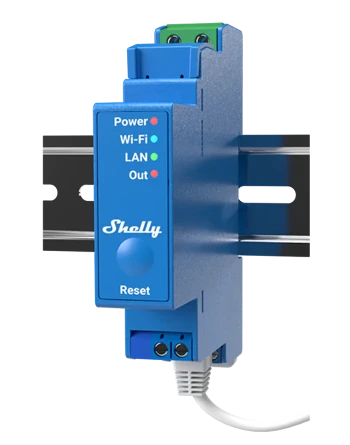
Devices for professional installations, with organised mounting and circuit control.
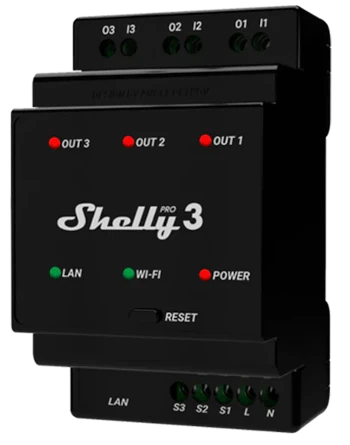
One device can manage several circuits or elements when the installation design allows it.
Equipment selection depends on the element to control, the electrical installation, connectivity and security requirements.
See access-control devicesAn installation with context
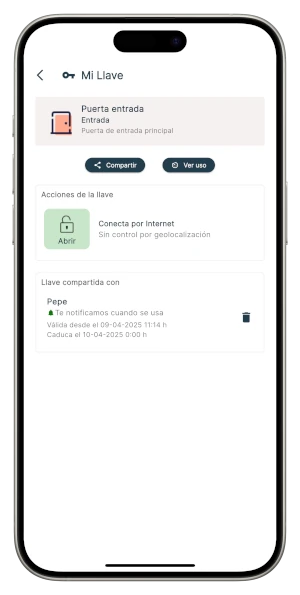
A device does not operate in isolation. Onzane relates it to the community, facility, authorised people and usage history.
Assisted implementation
Every building has different panels, networks, mechanisms and needs. Community home automation therefore requires technical review, configuration and testing in the real space.
Identify the objective, spaces and existing installation.
Define equipment, connectivity and operating method.
Coordinate physical work with professionals when required.
Relate devices, facilities, people and permissions.
Test operation and support initial use.
Two different layers
A device can execute a physical action within a workflow, but Onzane also automates tasks, alerts and operations that require no installed equipment.
Explore process automationBefore connecting
Feasibility depends on the building, connectivity and the element to control.
Yes. Many projects can use existing installations, but panels, mechanisms, connectivity and technical requirements must first be reviewed.
No. You can start with one door, circuit or facility and expand the scope later.
Onzane currently integrates with Shelly equipment for selected operating and control scenarios. Each device is chosen for the installation.
No. Access control manages identities, permissions and entries. Home automation is a broader layer that can also operate lighting, equipment, sensors and other facilities.
No. Home automation connects Onzane to physical elements. Process automation creates rules, tasks, alerts and workflows even when no device is involved.
It depends on the project. Onzane defines and configures the integration and can coordinate with trusted installers or professionals for the necessary physical work.
From the building to the platform
Tell us which space or facility you want to control and we will assess the right technical solution for your community.