Manage payments and finance

Payments and finance for
residential communities.

Connect payments for bookings and services with each property’s transactions, community financial information and professional management.

See how it works

From concept to transaction

Every payment keeps
its context.

Onzane connects who pays, what for, the method used and the resulting record. Residents and managers work from the same transaction without having to reconstruct it later.

  1. 01Configure

    Set the concept, amount, payment methods and properties that can use it.

  2. 02Pay

    The resident pays for a booking, deposit, fee, assessment, product or service in the app.

  3. 03Record

    Top-ups, spending, refunds and adjustments remain linked to the property and concept.

  4. 04Review

    Management checks transactions, generates reports and incorporates them into its financial workflow.

01 Payments in the Onzane app

Pay within the process that creates the charge.

The community can collect payment when a booking is made or a service is requested. Residents see the concept and confirm the operation in the app.

  • Payments for bookings, deposits, community fees, assessments and services.
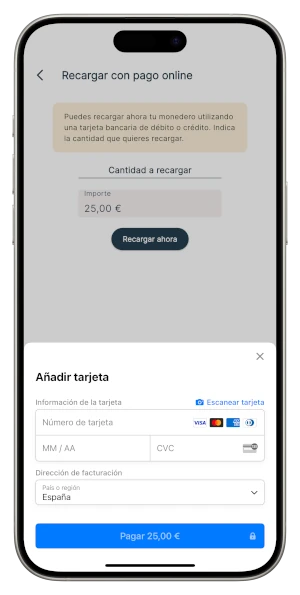
  • Card top-ups through the community’s payment gateway.
  • Charge to the next community fee when enabled.
  • In-person collection through a QR code generated by staff.
  • Global or property-level activation of each payment method.
View in-app payments
Payment settings in the Onzane management panel
Card payment in the Onzane app
01Payment methods configured by the community
02 Balance per property

A wallet that simplifies recurring payments.

Each property has a balance shared by the people associated with it. It can be topped up as needed and used for the operations enabled by the community.

  • One balance per property, visible in the app.
  • One-off top-ups by card or community fee.
  • Use for bookings, services, deposits and other concepts.
  • Balance returned when an operation is cancelled.
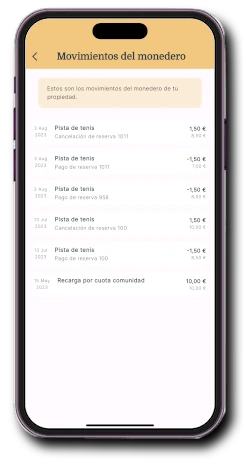
  • History of top-ups, payments, adjustments and refunds.
Property wallet in the Onzane app
02Balance and transactions available to the resident
03 Traceability for management

Every transaction can be reviewed and exported.

The panel brings together top-ups and operations so the board or community manager can identify their origin, review issues and prepare the required information.

  • Top-up and transaction list by property.
  • Filters by date, operation type and payment method.
  • Downloadable reports for review and reconciliation.
  • Control of refunds, adjustments and available balance.
  • Shared information without parallel spreadsheets.
Top-up report in the Onzane management panel
Wallet transaction history in the Onzane app
03Traceable transactions in the panel and app
04 Gradual professional adoption

Financial management can grow into an accounting suite.

For firms and organisations that want to centralise more processes, Onzane covers accounting periods, chart of accounts, journals, ledgers, budgets, assessments, collections, payments, reconciliation, tax and reports.

  • Dimensions by community, property and resident.
  • Budget versus actuals and financial statements.
  • Collections, arrears, provider payments and due dates.
  • Assisted bank reconciliation using Norma 43 files.
  • Accounting, treasury, arrears and tax reports.

The accounting suite is available through assisted implementation. We migrate data, validate real workflows and progressively expand scope with each organisation.

View the accounting suite
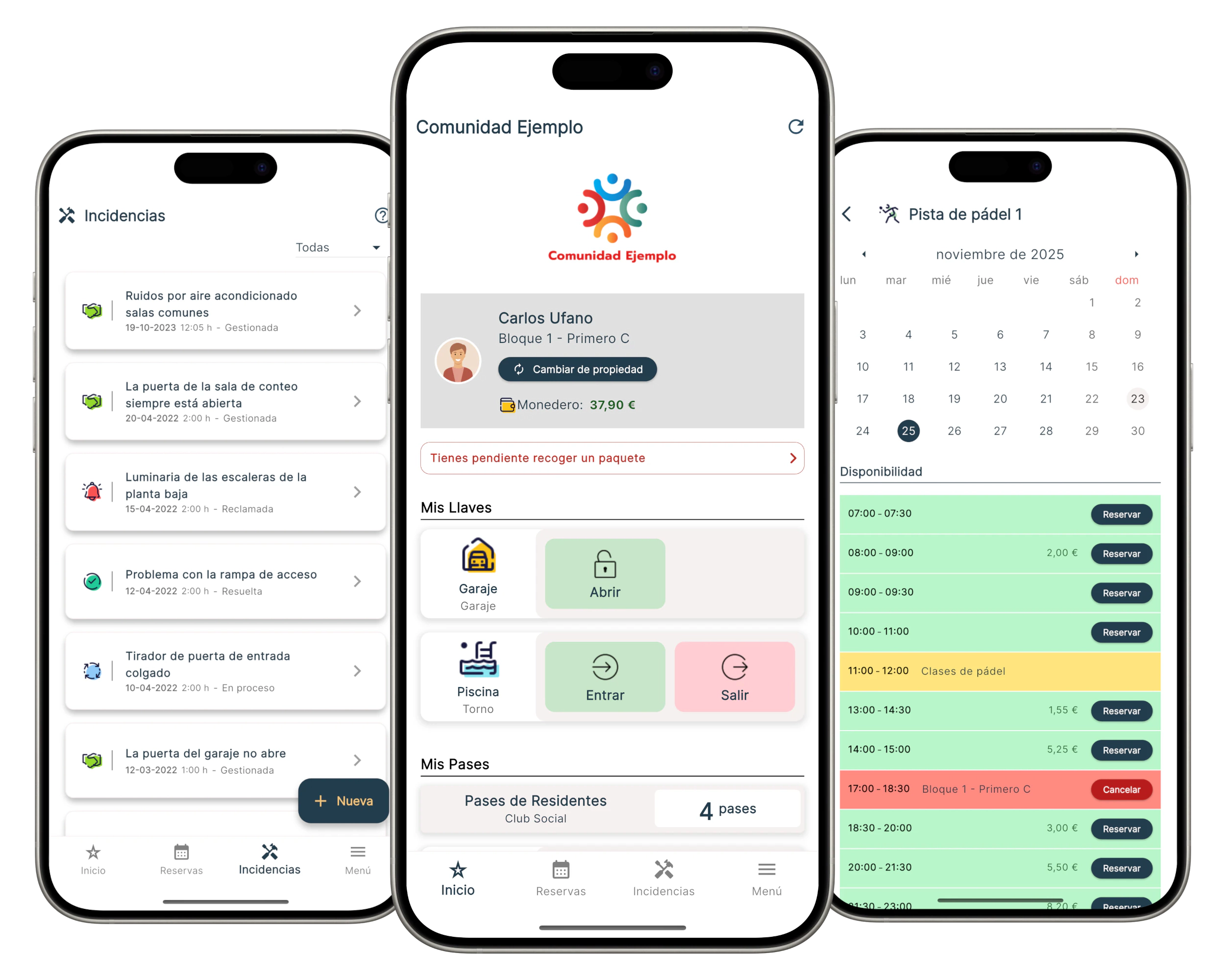
Current Onzane app experience for residents
04Accounting adoption defined with the management team
Financial transaction history in the Onzane app

Shared transparency

Residents understand
what happened.

Financial information does not stop at the management panel. Each property can view its transactions and the status of relevant operations in the same app used for community life.

  • Concept, date and amount for each operation.
  • Available balance and origin of each top-up.
  • Payments and refunds linked to bookings.
  • Property financial information when published by the community.
  • Fewer queries to reconstruct recorded transactions.

One figure, different responsibilities

Everyone sees
what they need.

Information keeps the same source even when each profile uses it to pay, supervise, manage or justify an action.

01

Residents

Pay in the app, check their balance and review property transactions.

02

Board

Supervises collections and the financial information belonging to the community.

03

Managers

Configure payments, review operations and prepare management reports.

04

Providers

Connect services, contracts and invoices with the community workflow.

Before enabling payments

Questions about
payments and finance.

Configuration adapts to each community’s decisions and to the scope required by its management.

01What can a resident pay for in the Onzane app?

The community can enable payments for bookings, deposits, fees, assessments, products and other services. Each concept is shown before confirmation.

02Does money from card payments pass through Onzane?

The gateway is configured for the community. Card payments reach the account configured with the payment provider, less any fees charged by that provider.

03Is the virtual wallet mandatory?

Currently available payments use the property wallet, which can be topped up only by the required amount. The community decides which top-up methods to enable.

04Can charge-to-fee be disabled for one property?

Yes. Payment methods can be enabled globally and adjusted by property, for example to restrict charge-to-fee when there is debt.

05Can several people use the balance of one home?

Yes. The wallet belongs to the property, so linked people can use the balance according to the defined permissions.

06Does Onzane replace the manager’s accounting software from day one?

Not necessarily. Operational payments can be enabled independently. The accounting suite is introduced through assisted implementation, validating data and processes before expanding its use.

07Can transactions be exported for accounting?

Yes. The panel can generate top-up and transaction information for review and incorporation into the community’s or manager’s accounting workflow.

Connected payments

Define your community’s
financial journey.

We help you enable the payments you need now and plan a financial evolution compatible with your management model.

Talk to us