Communicate and participate

Communication for residential communities.
Everything in one place.

Onzane connects residents, boards, managers, employees and providers so that every notice, document and decision reaches the right people and remains available.

See how it connects

One shared flow

From sending a notice
to keeping the community informed.

Communication does not end when you press publish. Onzane connects delivery, receipt, future consultation and participation around one source of information.

  1. 01 Publish and segment

    Choose the whole community or only the buildings, groups and profiles that should receive the information.

  2. 02 Notify

    Each person receives the notice according to their preferences without sharing personal details with other residents.

  3. 03 Keep

    Announcements, documents and conversations remain organised and available for future consultation.

  4. 04 Listen and decide

    Surveys, groups and voting turn communication into genuine participation.

01 Information that reaches people

Publish an announcement once and make it available to everyone.

Managers, boards or authorised people write from the panel. Residents receive it in the app and can return to it whenever they need.

  • Immediate delivery or draft publication
  • Segmentation by community, group or profile
  • Notification preferences for each resident
  • Attachments and permanent history
  • Reach and opening statistics
See how announcements work
Published announcements in the Onzane panel
Announcement content in the Onzane app
01Publish from the panel and read in the app
02 Information that is always easy to find

Documents no longer disappear among emails and messages.

Minutes, rules, budgets, contracts and private files are organised by folders and permissions within the community itself.

  • Shared folders and categories
  • General or private documents
  • Permissions by property and profile
  • Anytime access from the app
  • Centralised management from the panel
View document management
Community documents organised in the Onzane panel
Documents available to a resident in the Onzane app
02Organised documents with permission-based access
03 Channels with context

Not every conversation needs the same space.

The community can combine messages, working groups, forums, noticeboards and contacts so that each conversation has defined participants and a clear purpose.

  • Messaging without publishing personal data
  • Groups for boards, committees or projects
  • Forum for open conversations
  • Noticeboard for permanent information
  • Directory and useful contacts
People taking part in a community meeting
03Different channels for different conversations
04 Listen and decide

Participation continues even when people cannot meet in the same place.

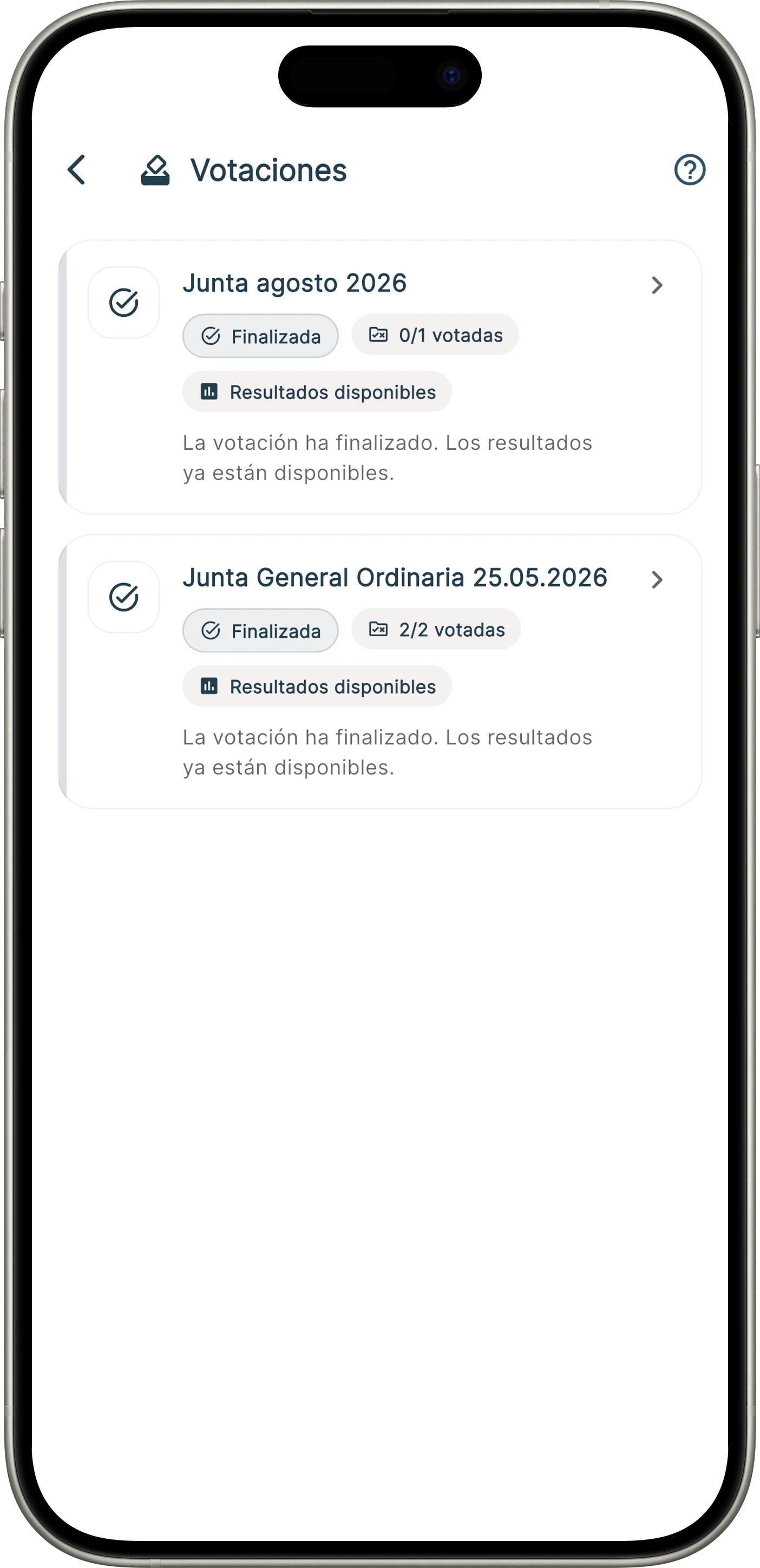
Surveys and online voting gather opinions, formalise decisions and keep results linked to the community.

  • Quick surveys to understand preferences
  • Online voting linked to properties
  • Simple or coefficient-based votes
  • Proxy voting and representation
  • Results and process traceability
View online voting
Community voting in the Onzane app
04Voting and results from the app
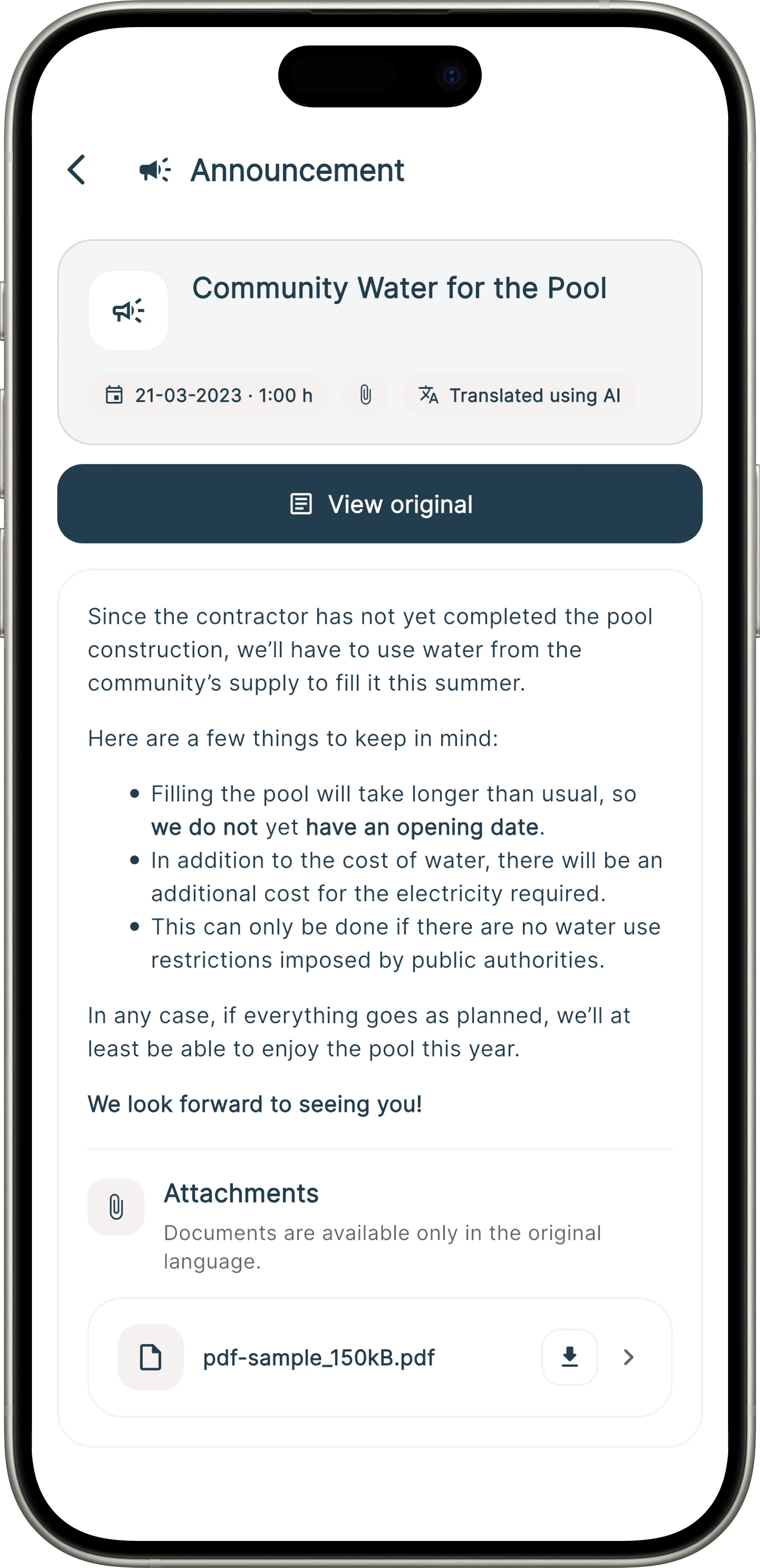
Automatically translated announcement in the Onzane app

Fewer barriers

Each resident can read
information in their language.

Onzane can automatically display a translated announcement according to the language selected in the app while keeping the original content available.

  • Original version available at all times
  • Independent notification settings per user
  • Content and attachments in one place
  • Privacy without exposing phone numbers or email addresses

One community, several voices

Each person communicates
from their area of responsibility.

Channels and permissions adapt to each person’s role, while everyone works within the same community.

01

Residents

Receive information, consult documents, talk and participate through the Onzane app.

02

President and board

Publish authorised information, coordinate groups and protect the community’s continuity.

03

Managers

Manage recipients, content, permissions and communication for one or several communities.

04

Employees

Receive instructions and contribute operational information through Onzane Staff.

Frequently asked questions

Communication in
residential communities.

Answers about announcements, privacy, documents, notifications and participation with Onzane.

01How does Onzane improve communication in a residential community?

Onzane brings announcements, notifications, documents, messages, groups, surveys and voting together on one platform. Information remains linked to the community and can be consulted later without relying on email, personal chats or noticeboards.

02Can announcements be sent to only part of the community?

Yes. Announcements can be addressed to the whole community or segmented by building, group of properties or resident profile according to the configured structure.

03Do residents receive a notification when an announcement is published?

Each resident can configure their notification preferences. Even if they choose not to receive a push notification, the announcement remains available in the app and can be shown as unread.

04Does Onzane translate announcements automatically?

Yes. An announcement can be written in one language and automatically displayed in the language used by each resident in the app. The original version remains available at all times.

05Can documents be private to selected residents?

Yes. Documents can be general or private and organised through folders and permissions associated with properties, profiles and specific recipients.

06Can communities run surveys and online voting?

Yes. Onzane can collect opinions through surveys and organise voting linked to properties, including coefficient-based voting, proxy voting and result consultation.
Start by communicating better

An informed community
participates more effectively.

We help you configure the right communication channels, permissions and processes for your community.

Talk to us