Voting and electronic minutes

Online voting for homeowners associations

Call votes, identify participants, collect votes, calculate results and keep traceability for each agreement from the community app.

Separate from surveys

Community decisions need more control than a form

A vote is not an informal survey. A community needs to know who can vote, which share they represent, whether they vote by proxy, which majority each item requires and what evidence remains for the minutes.

  1. 01 Agenda and voting items

    Create voting items linked to a meeting, subject or specific agreement so the process is documented from the start.

  2. 02 Voting roll and rights

    Work with properties, residents, representatives, ownership shares and permissions to know who may vote on each item.

  3. 03 Vote and proxy

    Allow in-person votes, online votes or proxy voting while keeping a record of who participates and under which representation.

  4. 04 Result and minutes

    Generate a traceable result for the minutes, with votes, majorities, participation and process evidence.

Built for real meetings

From electronic voting to community minutes

Onzane helps digitize ordinary votes, meeting agreements, decisions between meetings and processes where the community needs a clear record of what was approved.

Two ways to use it

Fully online voting or digital support during the meeting

The feature does not force one format. It can run the whole process online or improve an in-person meeting with check-in, parallel voting and assisted counting.

01

Model 1: fully online voting

The community opens a vote so owners can participate remotely from the app, review documents, cast their vote and keep traceability without attending in person.

  • Remote participation from the app.
  • Voting roll, shares, arrears and proxies prepared before opening the process.
  • Votes collected and results calculated inside Onzane.
02

Model 2: support for in-person meetings

The meeting happens physically, but Onzane helps register attendees, validate representation, collect votes in parallel and calculate results with fewer manual errors.

  • Resident check-in when arriving at the meeting.
  • Control of attendees, represented owners and voting rights.
  • Digital count during the meeting to prepare the minutes with more confidence.

App screens

How voting is followed from mobile

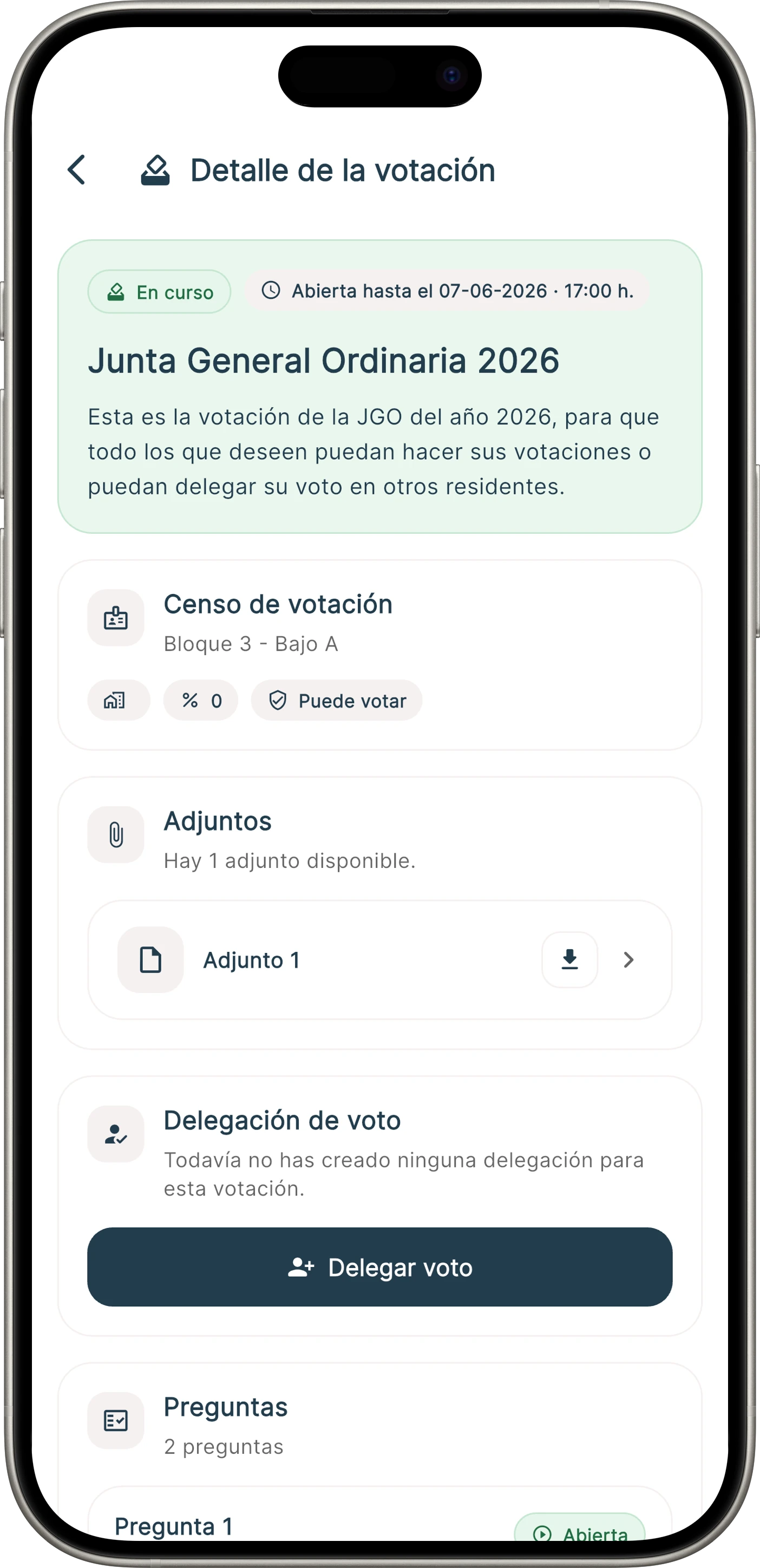
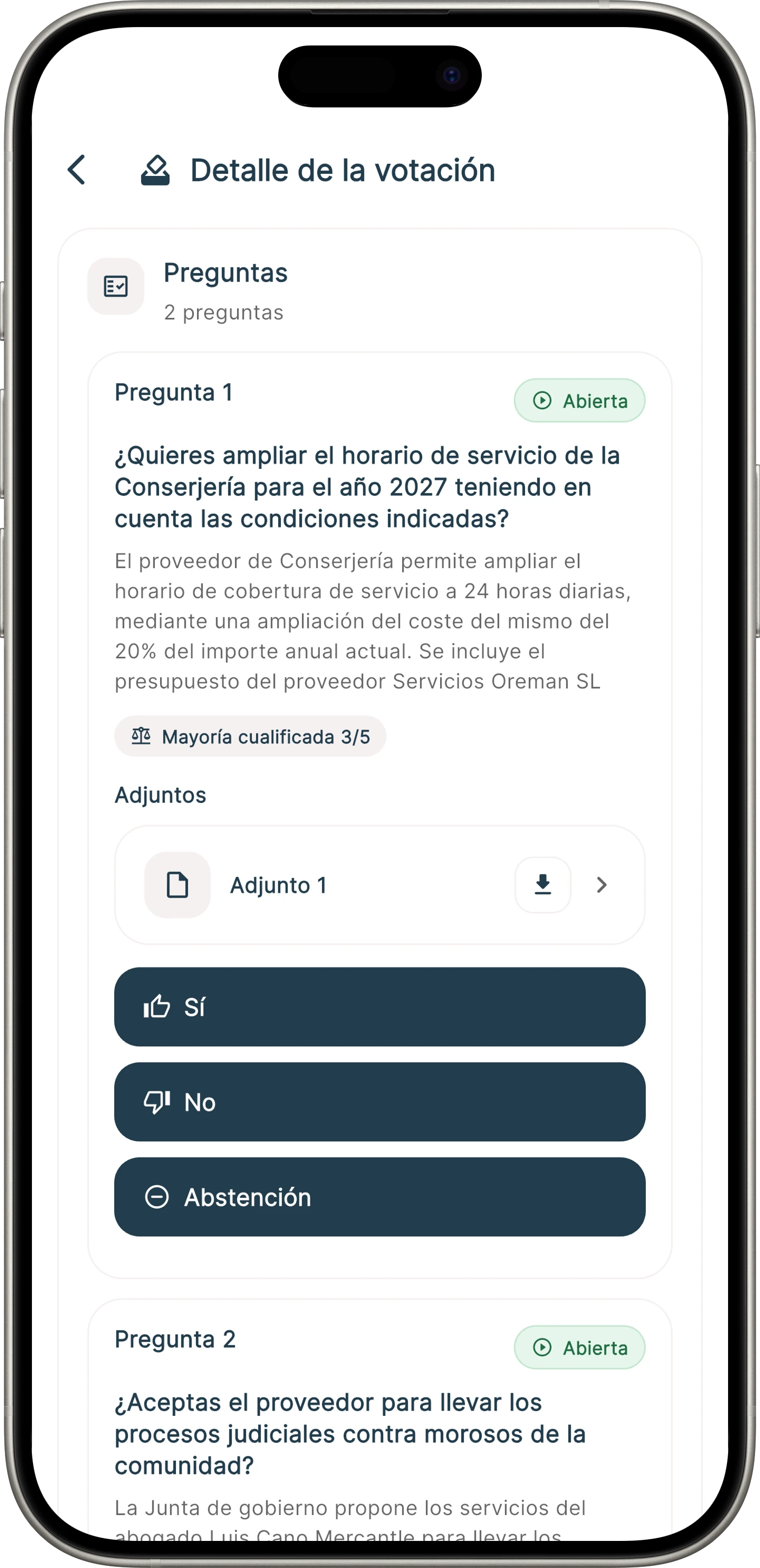
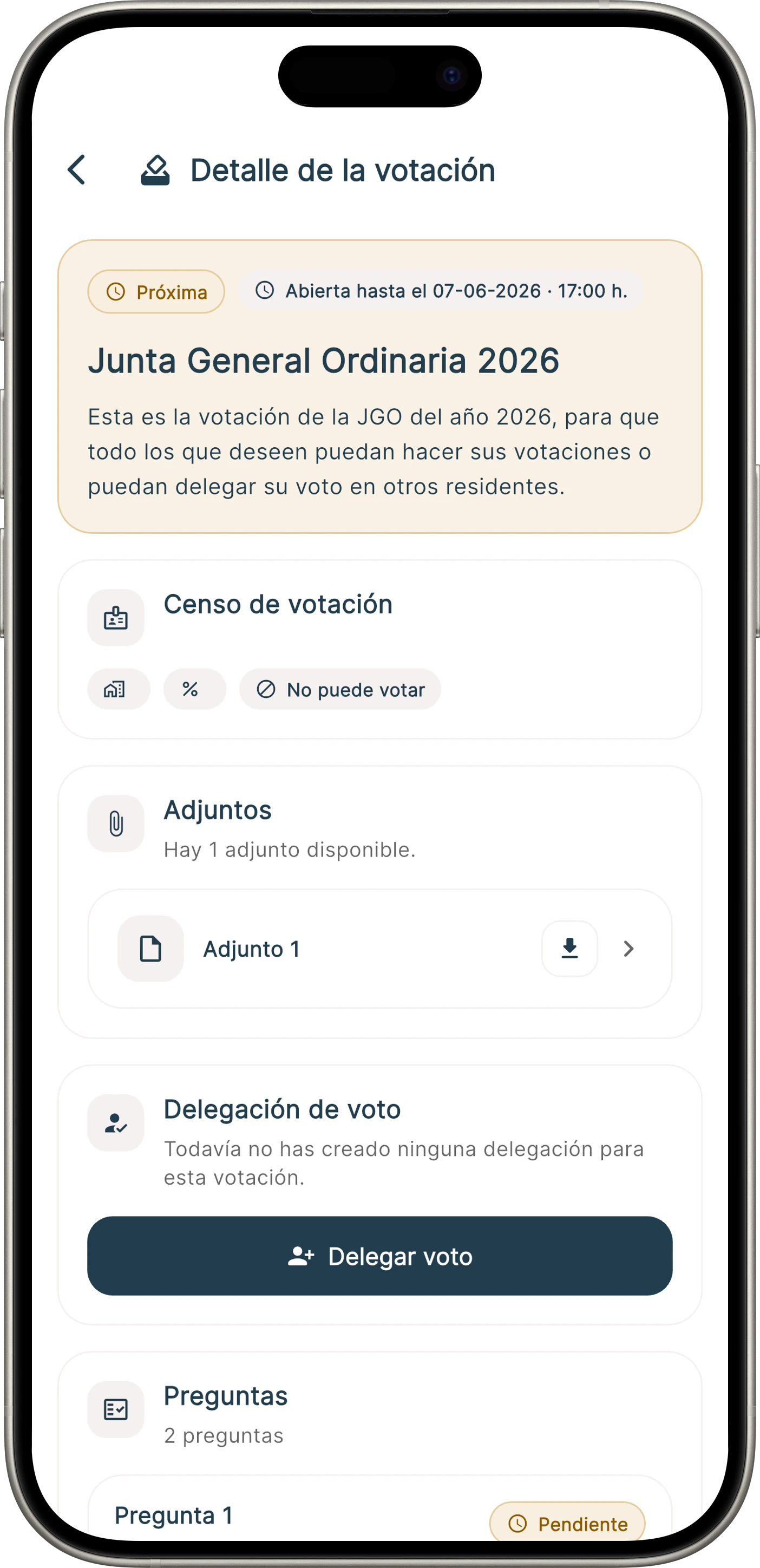
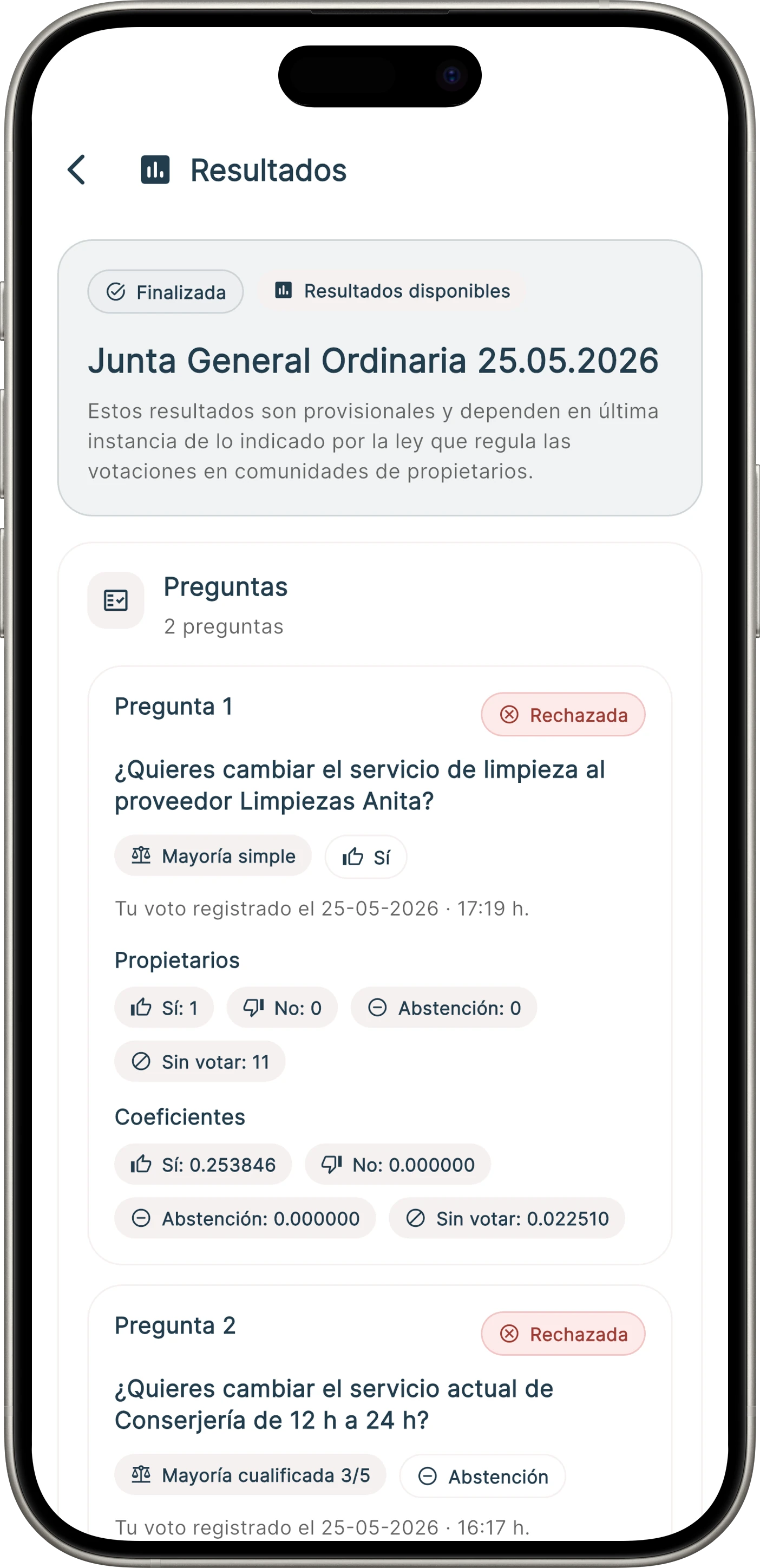
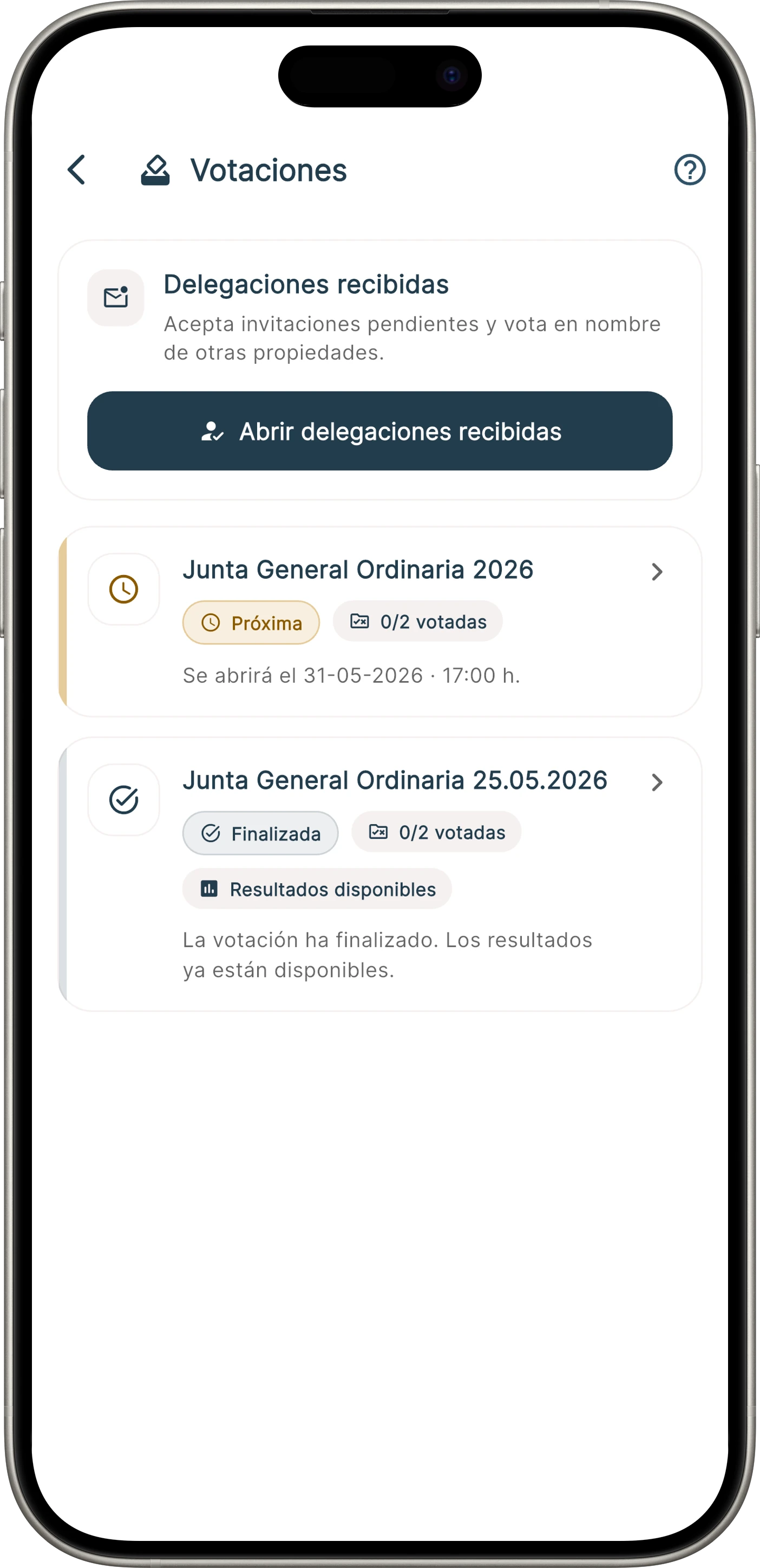
Residents can see the list of votes, open the detail of each process, delegate their vote or cast it when voting is open.

List of community votes in the app
01

Vote list and status

Detail of an active vote in the app
02

Vote detail

Screen to cast a vote in the app
03

Vote casting

Proxy voting screen in the app
04

Proxy and representation

Online voting module screen

Votes by ownership share

How votes by ownership share are counted in a homeowners association

For many community decisions, adding up votes for and against is not enough. The result may depend on the number of owners, their ownership shares, represented quotas, arrears and the type of majority required for each agreement.

Ownership shares

Each home, commercial unit or parking space may carry a different weight. Onzane prepares the voting roll with its shares when the agreement requires a weighted count.

Owners, arrears and representatives

The count distinguishes who may vote, who attends, who delegates and which properties are excluded due to the applicable arrears status.

Majorities and result for the minutes

Administrators can review votes, shares, abstentions, proxies and the majority reached before recording the result in the meeting minutes.

This is not a WhatsApp vote

Voting through WhatsApp may look convenient, but it does not properly resolve the voting roll, identity, representation, shares, applicable majority or later evidence. A voting app must organise the whole process and leave verifiable records.

Separate from surveys

How online voting works in Onzane

The feature is designed so administrators do not lose legal or operational control when moving from traditional meetings to a digital channel.

01

1. Prepare the vote

Define the item, options, dates, participants and whether the result needs a simple, qualified or custom majority.

  • Agenda item or agreement
  • Voting roll and ownership shares
  • Opening and closing rules
02

2. Collect votes

Residents can participate from the app when enabled. Administrators can review participation, proxies and process status.

  • Online voting from mobile
  • Proxy or representation
  • Participation register
03

3. Close and document

When the vote closes, the system provides a result basis to review, document the agreement and complete the minutes with more confidence.

  • Result by option
  • Participation and majorities
  • Evidence for the minutes

Frequently asked questions

Frequently asked questions about online voting

Common questions when a community wants to move from informal votes or manual counts to a digital process.

01Is online voting the same as a survey?

No. A survey collects opinions. A community vote needs to control who may vote, what their vote represents, whether there is a proxy, which majority applies and which result is documented.

02Does it work for owners meetings?

Yes. It is built for agreements linked to meetings, decisions between meetings or processes where the community wants traceable votes and evidence for the minutes.

03Can proxy votes be managed?

Yes. The goal is to support direct votes and representation so the administration can review who participates personally and who does so by proxy.

04Does the vote generate the minutes automatically?

The vote generates a result and traceability basis. The administration can use that information to prepare or complete the community minutes with less manual work.

Better documented decisions

Turn community participation into a clear, reviewable process.

We help you prepare the census, ownership shares, permissions and voting model for each community.