Connected turnstile or door
A compatible reader checks the pass and grants entry when the person meets the configured rules.
Community swimming pools
Turn seasonal rules into a verifiable system. Onzane connects property entitlements, passes and guests with turnstiles, doors or manual validation by community staff.
A season without parallel lists
The community chooses the model. Onzane applies entitlements, makes them easy to check and validates access without relying on expired cards or improvised checks.
Set dates, opening hours, quotas, guests and conditions for using the pool.
Link access and passes to properties, residents and authorised exceptions.
Validate the credential at a turnstile, connected door or through authorised staff.
Keep a validation history to understand usage and resolve incidents.
At the entrance
Technology adapts to the physical entrance and available staff. The policy remains the same even when the validation method changes.

A compatible reader checks the pass and grants entry when the person meets the configured rules.
Concierge teams, lifeguards or other authorised staff can check the pass and record entry manually.
Combine automated access during normal hours with manual supervision for guests, exceptions or busy periods.
The pool in the Onzane app
Entitlements, passes and conditions are available in the same app they use to interact with their community.
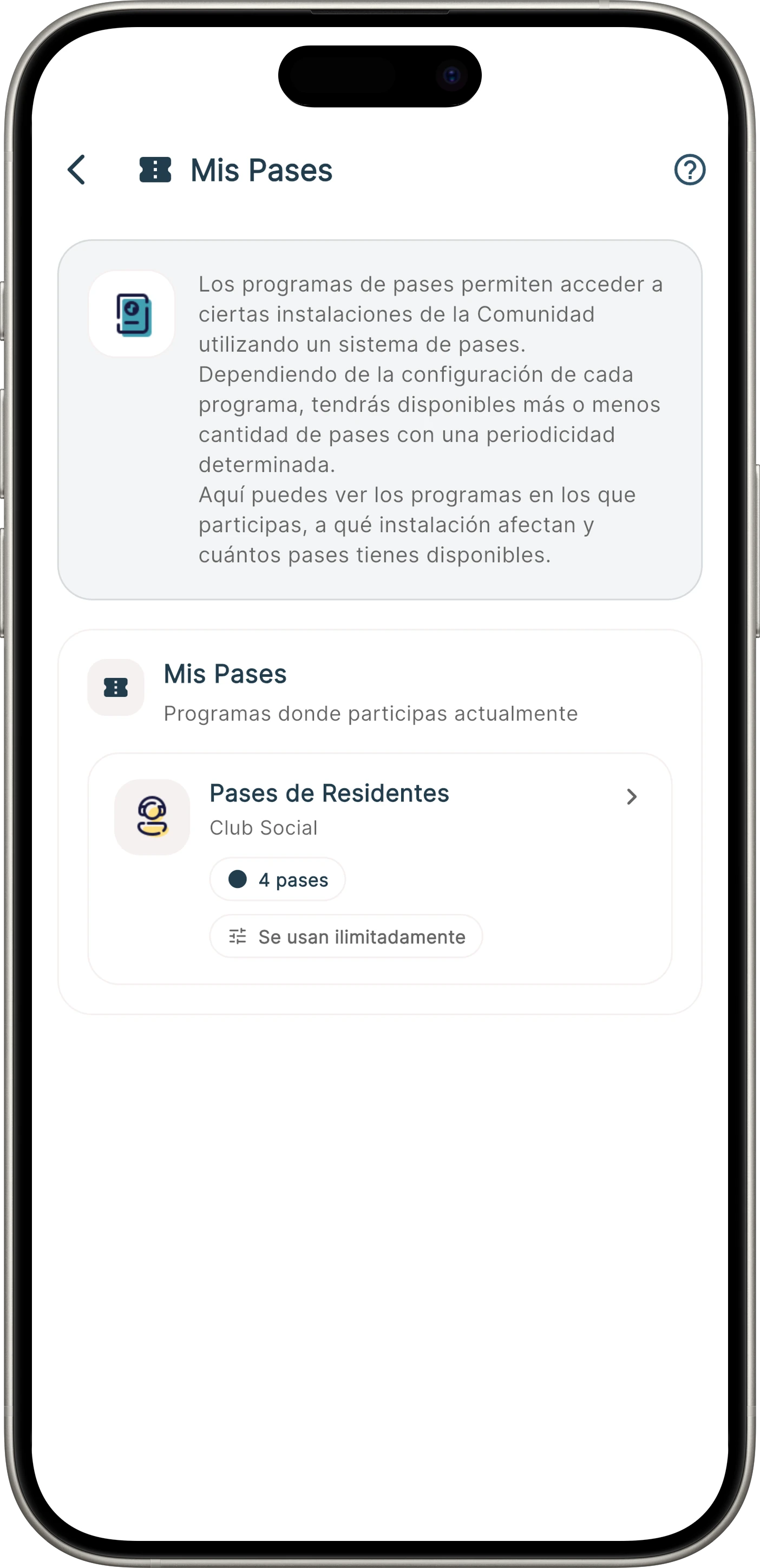
Check pass balances, requests, transfers and credentials linked to the pool programme.
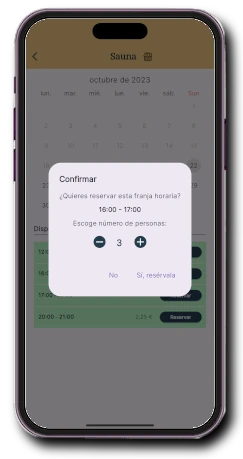
When the community organises the pool in time slots, it can request the number of people and enforce the defined capacity.
Rules applied consistently
Not every pool works the same way. The system is configured around the existing agreement and can evolve between seasons.
Limit validity to the opening period and set different schedules or shifts when necessary.
Determine how many people may enter, how companions are handled and which exceptions are authorised.
Link bookings or validations to pool usage and review recorded activity throughout the season.
A pool-specific solution
This page explains the complete pool operation. Each related capability has its own level of detail.
They represent entries, invitations or cards assigned by the community to each property or person.
See pass programmesThey are used to select a time and attendees when the pool works with shifts or limited capacity.
See bookingsReaders, turnstiles and doors check the credential while Onzane continues to manage the policy and entitlements.
See devicesFrequently asked questions
Answers about turnstiles, manual control, passes, guests, capacity and seasonal operation.
Yes, provided that the turnstile or controller is compatible with the planned integration. Before deployment, we review the available device, reader and connectivity.
Yes. Authorised staff can check the pass and record entry manually. This is useful when the community already has concierge staff, a lifeguard or on-site control.
Yes. The community can set quotas per property, associate them with residents and allow exceptions under its rules.
They can use passes or invitations with limits, validity and conditions defined by the community. The model may change from one season to another.
Yes. When time-slot bookings are used, the community can request the number of attendees and limit availability according to the configured capacity.
Yes. If the reader is compatible, NFC/RFID cards, key fobs or wristbands individually linked to a person may be used.
It can when the booking is connected to the permission and entry device. Access is then limited to the authorised facility and time slot.
No. The system helps verify access rights and record entries, but it does not replace any applicable supervision, safety or rescue duties.
A more controlled season
We review entitlements, staff, physical entrances and devices to propose a gradual deployment that residents can understand.