
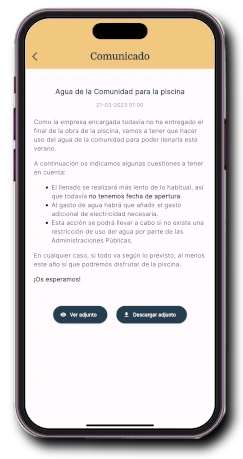
A notice that reaches residents
Send a notice and residents receive a notification. The notice and its documents remain available in the app to consult later.
Explore noticesNotices, bookings, issues, documents and payments in one app for your community. Without changing your property manager.
In 1 minute, you’ll be using the real app.
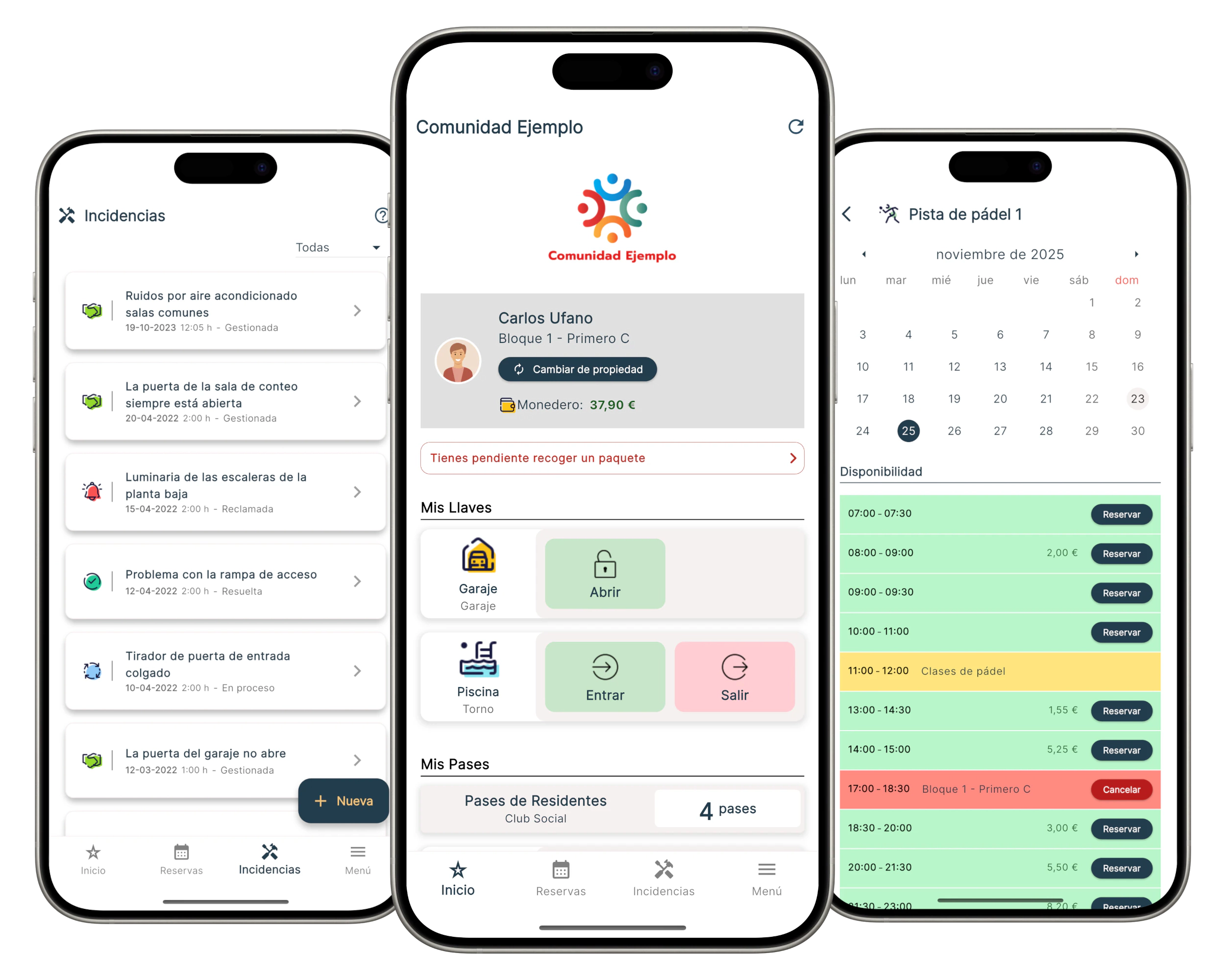
One app for the whole community
A community management app brings communication, bookings, incidents, payments, access and daily operations together in one system. Everyone uses the tools they need, while the community keeps one organised source of information.
Start with what you need.Onzane can launch with communication and bookings, then add operations, payments, access or automation later.
communities
properties
residents
managed facilities
Communities already using Onzane
Residential developments, housing estates and social clubs use Onzane to connect people and organise operations.
Meet our customers





"Very good service, because as property managers, it saves us work."
"Very prompt response to any questions. If you have a problem, they solve it for you. If it's a feature they don't have, they add it to the list of improvements and don't forget. They've already made some for us. The integrations work, the payment gateways too, and the app doesn't give any errors. For our part, it was a good idea to choose them for the community."
Onzane in everyday use
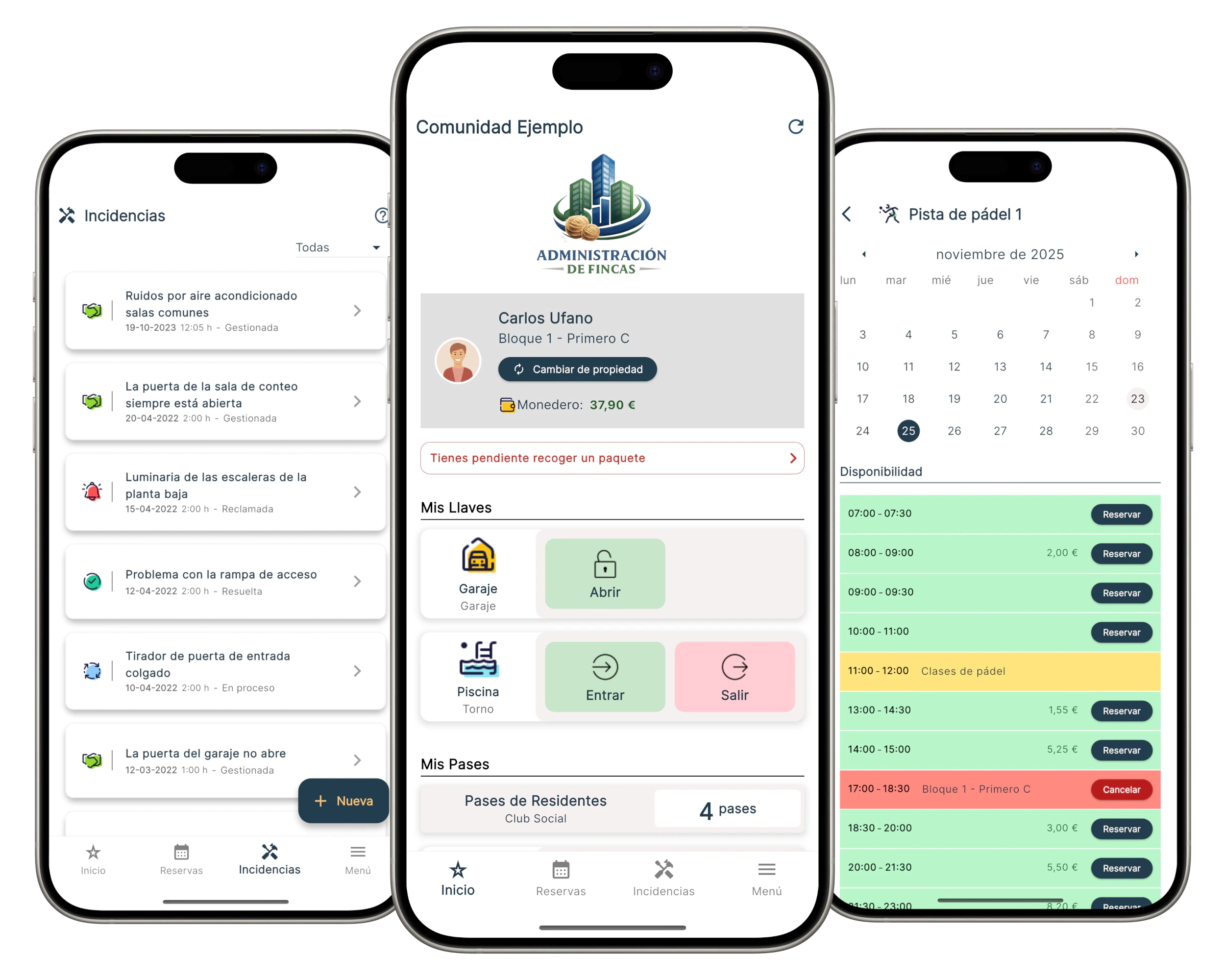
From community notices to court bookings: see what residents can do on their phones.
Send a notice and residents receive a notification. The notice and its documents remain available in the app to consult later.
Explore notices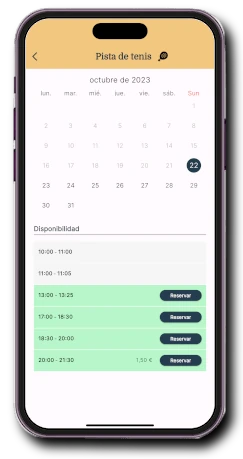
Residents check availability and book according to the schedules and limits set by the community.
Explore bookings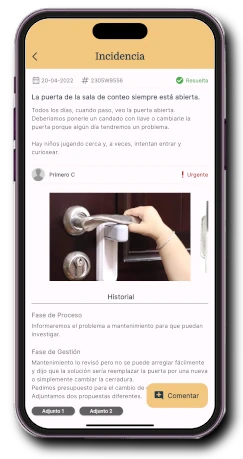
Residents report problems with photos and follow their progress. Managers coordinate the solution and keep a record.
Explore issuesExplore a demonstration community before you decide.
Outcomes for the community
Onzane turns scattered, office-hours-dependent processes into one shared, available and traceable experience for the whole community.
Owners, tenants and household members receive the information relevant to them from one shared source.
Notices, documents and statuses remain accessible when needed, without relying on calls or office hours.
Requests and incidents can be started in the app and followed through to resolution.
Availability, limits, payments, deposits and penalties are applied consistently to every property.
The community keeps a shared history of communications, decisions, expenses and work carried out.
Doors, passes, lighting and other processes can respond to community permissions, bookings and rules.
Plans for communities
Explore the free plan or calculate your community’s price based on its number of properties. We can help you choose.
View plans and pricing Compare community appsOne community, different experiences
Residents use the Onzane app, employees work with Onzane Staff and managers coordinate the community through the web dashboard. Suppliers only take part in the workflows that concern them.
Residents
Staff
Administrators
Suppliers
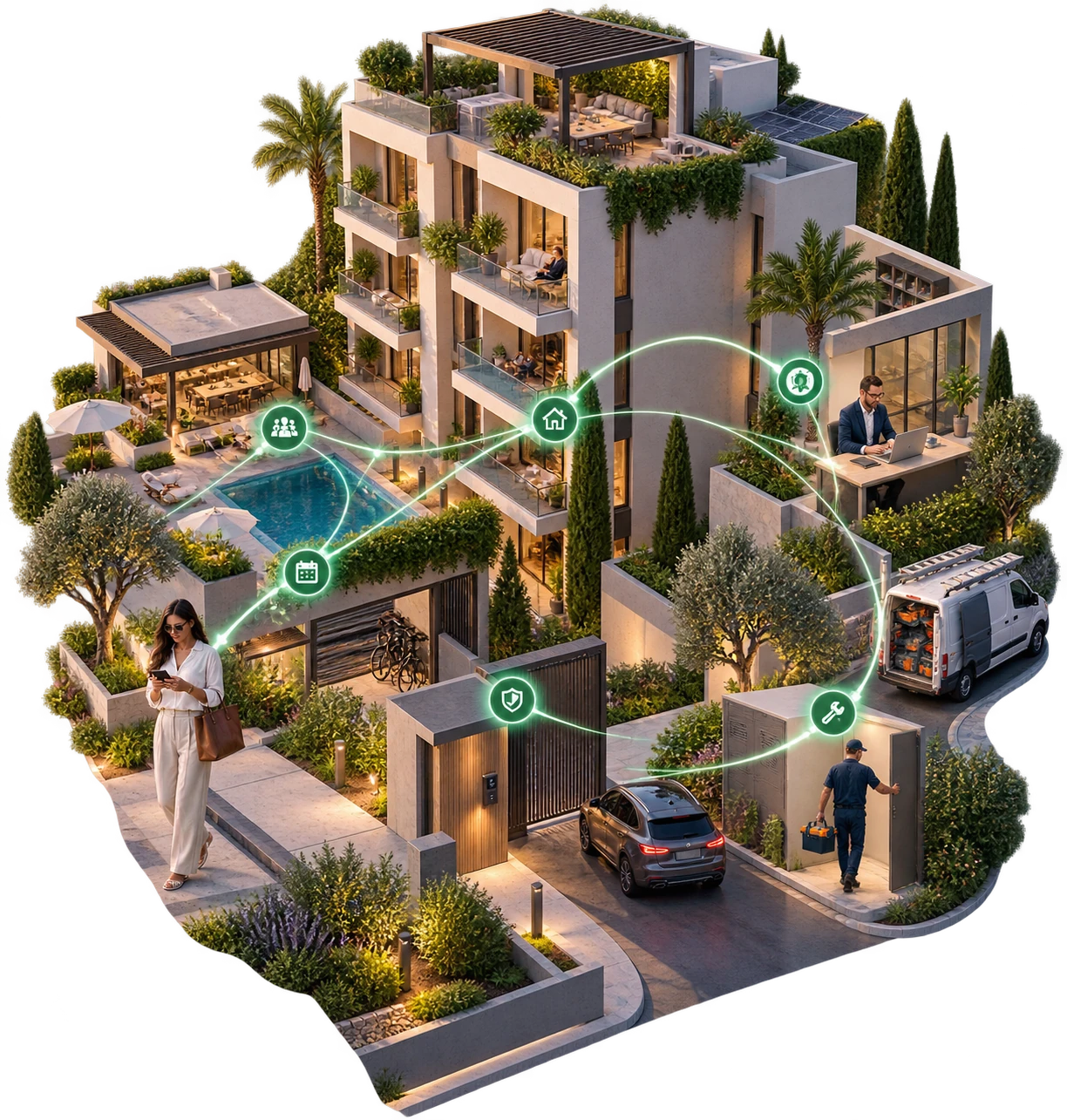
The community stays in control
Onzane can be contracted directly by the community and used with its chairperson, board, in-house staff, property manager and service companies.
Guided onboarding
We configure the community, review its information and support administrators, staff and residents until Onzane is genuinely up and running.
Plan the launchWe understand how the community is managed and what it needs to solve first.
We load and review properties, residents, facilities and permissions.
We prepare the functions, rules, communications and access that will be used.
We teach administrators and staff how to use Onzane in their daily work.
We invite residents, measure adoption and continue supporting the community.
Frequently asked questions
The resident app is one Onzane experience. The community solution also includes the web management dashboard, Onzane Staff for employees, supplier coordination and shared configuration for the entire community.
Yes. A community can contract Onzane directly and use it with its chairperson, board, in-house staff, property manager and suppliers.
No. Onzane is designed to work with the existing management model. The property manager can join the platform without the community having to replace them.
No. The community can begin with communication, documents or bookings, then add incidents, payments, access, staff, suppliers or automation.
The Onzane team supports data import and review, configures functions, trains managers and invites residents during onboarding.
Yes. You can review the free plan and compare the other options on the community pricing page.
Your community. Everything connected.
Explore the app yourself or speak to our team about your community’s needs.